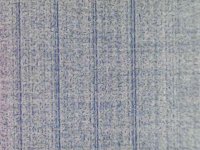
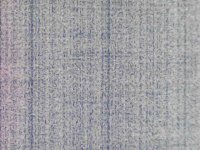
thin lines on the plate ctp cron 4648ex

toner-km

Member
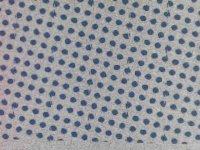
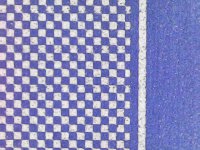
Good day. I ask for advice, on ctp cron UV4648ex thin lines on the plats sometimes thicker sometimes not visible. Changed parameter OD from 23200 to 23900 it seems to have become better, but it does not disappear completely. The diode array border looks bad.
 

Attachments

  • 3.jpg
    3.jpg
    36.5 KB · Views: 154
  • 4.jpg
    4.jpg
    45.8 KB · Views: 159
  • photo_2025-07-24_21-23-47.jpg
    photo_2025-07-24_21-23-47.jpg
    39.4 KB · Views: 153
  • square.jpg
    square.jpg
    46.3 KB · Views: 155
Last edited:
I don’t know anything about Cron CTP devices so here’s a shot in the dark. Can the laser diodes be cleaned? Maybe there is some kind of debris on the diode or perhaps some other part of the laser optics as a whole? Maybe one or more of the lenses the laser travels through before reaching the plate? Again, total guess.
 
the defect black line parallel to laser head.in addition to the dark lines, you can see the junction of two lines, as if the array of diodes draws with distortion, this can be seen in the photo.
 
To me taking a quick look it seems like the line is both a dark line where it should be white and white lines where it should be dark, which could be pixel shift, not touched a Cron for about 13 years, but there used to be a tool where you could select the laser to use, recommend trying using half the lasers and running a test then the other half and see the results, if it is related to a single diode or driver system for a diode would expect to see it in only one of the tests, which will help diagnose it a bit.

if you get a black line at regular intervals (when using a plate that images backgorund) zoom setting is prime candidate for the cause?
is this like this all over the plate? (from home side to away?

 
To me taking a quick look it seems like the line is both a dark line where it should be white and white lines where it should be dark, which could be pixel shift, not touched a Cron for about 13 years, but there used to be a tool where you could select the laser to use, recommend trying using half the lasers and running a test then the other half and see the results, if it is related to a single diode or driver system for a diode would expect to see it in only one of the tests, which will help diagnose it a bit.

if you get a black line at regular intervals (when using a plate that images backgorund) zoom setting is prime candidate for the cause?
is this like this all over the plate? (from home side to away?

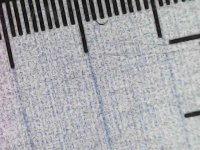
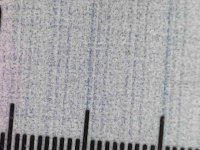
You were right, disconnecting the diodes helped to find that two diodes were connected incorrectly. That's why the lines were jumping. But the thin stripes remained, they go across the main screw. It's hard to find a repeat, sometimes you can see them, sometimes you can't. But overall, thanks for the advice. the developer is old
 

Attachments

  • photo_2025-08-08_23-00-44.jpg
    photo_2025-08-08_23-00-44.jpg
    43.8 KB · Views: 129
  • photo_2025-08-08_23-00-52.jpg
    photo_2025-08-08_23-00-52.jpg
    39.8 KB · Views: 147
  • photo_2025-08-08_23-00-59.jpg
    photo_2025-08-08_23-00-59.jpg
    47.1 KB · Views: 126
  • photo_2025-08-08_23-01-06.jpg
    photo_2025-08-08_23-01-06.jpg
    45.4 KB · Views: 126
Last edited:
   
Back
Top