Hope someone can help me here!
About a year ago we changed from sending jobs to plate straight from Quark (hand imposing them) to Apogee Prepress to sending them via Dynastrip (HURRAH!) which has made things a lot easier.
But we still have an awful lot of old jobs which get reprinted on a regular basis, so instead of re-imposing them using Dynastrip we tend to just PDF out the old hand imposed impositions using Quark, (DeviceN for Spots, CMYK for full colour) and drop them straight in the Prepress.
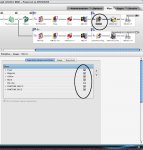
This has generated and issue with the crop marks, which are coloured Registration in Quark, where occasionally on a plate they come over as not just as the spot colours but CMYK as well. I even have one job where on the first plate the crop marks are the two spots we are using, and two spots and CMYK on the next, even though I generated this from a single Quark file with exactly the same crop marks on both pages!
It's not to much of an issue, and most of the time it's pretty obvious that you don't plate a plate with just crops on, but the boss has noticed and now wants answers, anyone have any idea whats going on??
Thanks
About a year ago we changed from sending jobs to plate straight from Quark (hand imposing them) to Apogee Prepress to sending them via Dynastrip (HURRAH!) which has made things a lot easier.
But we still have an awful lot of old jobs which get reprinted on a regular basis, so instead of re-imposing them using Dynastrip we tend to just PDF out the old hand imposed impositions using Quark, (DeviceN for Spots, CMYK for full colour) and drop them straight in the Prepress.
This has generated and issue with the crop marks, which are coloured Registration in Quark, where occasionally on a plate they come over as not just as the spot colours but CMYK as well. I even have one job where on the first plate the crop marks are the two spots we are using, and two spots and CMYK on the next, even though I generated this from a single Quark file with exactly the same crop marks on both pages!
It's not to much of an issue, and most of the time it's pretty obvious that you don't plate a plate with just crops on, but the boss has noticed and now wants answers, anyone have any idea whats going on??
Thanks