Pitstop and Acrobat DC

Gregg

Well-known member
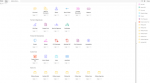
Is there anyway to get the Pitstop tool icons back, or are we now left with these lame generic plug-in icons?
 

Attachments

  • Screen Shot 2016-01-28 at 8.42.44 AM.png.jpg
    Screen Shot 2016-01-28 at 8.42.44 AM.png.jpg
    6.3 KB · Views: 354
Not yet. I know Enfocus has tried but Adobe isn't playing nice with 3rd party developers.
 
No Title

Is this Mac or Windows?

I'm on Mac, DC and Pitstop Pro 13 and I have regular icons.
 

Attachments

  • photo5293.png
    photo5293.png
    10.1 KB · Views: 362
It looks like Gregg is using the context-dependent toolbar for the "PitStop Inspect" tool category, and PrintIT is using the "Quick Tools" that is always at the top of document windows, and has added some Pitstop tools to it. Both look fine to me, but I'm still on Pitstop 12 (latest DC 2015.009.20069, OS X 10.10.5).

 
I'm definitely doing something different than PrintIT. I have the Pitstop tool added in the main Tools area, but they are all just the generic icon.
 

Attachments

  • Screen Shot 2016-01-28 at 1.18.15 PM.png
    Screen Shot 2016-01-28 at 1.18.15 PM.png
    49.2 KB · Views: 383
Looks normal to me as well
 

Attachments

  • Screen Shot 2016-01-28 at 10.19.10 AM.png.jpg
    Screen Shot 2016-01-28 at 10.19.10 AM.png.jpg
    8.1 KB · Views: 362
Yes, Joe, that is what I am talking about. Those yellow icons for the 'category' and then i get the same icon, just red instead of yellow, for all of the actual Pitstop tools.
 
That issue isn't a retina display. Adobe just won't tell Enfocus how and where to put their icons.
 
No Title

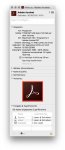
Hi, in the meantime you can tick open in low resolution of adobe acrobat.app
see my german screenshot
 

Attachments

  • photo5300.jpg
    photo5300.jpg
    254.2 KB · Views: 357
Last edited:
   
Back
Top