


You are using an out of date browser. It may not display this or other websites correctly.
You should upgrade or use an alternative browser.
You should upgrade or use an alternative browser.
Remap Cyan to Spot Color using PitStop Pro 7.52
- Thread starter Tech
- Start date

I've never been able to get Pitstop to properly remap process to spot colors especially with global change. There is a Pitstop action for "Remap Separation" that will remap it but it never comes out at the right percentages, for example a 100% cyan does not come out as 100% in the separation you are mapping it to. It seems like maybe it converts to grayscale before doing the remap and everything comes out much lighter in the remapped separation than the original.
Before you make the change you first have to turn OFF color management. *Everything* gets passed through color management. They don't map the absolute values of one space into another.
Tried that Matt. I have color management turned off by default. Still doesn't convert the same as the original separation.

zoran
Well-known member
I always found that color remaping was clunky in Pitstop.
We are lucky to have Prinect Acrobat spot plugin which does it like a charm and it behaves as advertised. You don't need to be PhD to map any process color to spot or vice versa, hats off to Heidelberg for that one.
We are lucky to have Prinect Acrobat spot plugin which does it like a charm and it behaves as advertised. You don't need to be PhD to map any process color to spot or vice versa, hats off to Heidelberg for that one.

the_brain
Well-known member
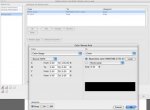
Per subject title, I'm trying to re-map cyan to a spot color but it appear the settings are not applying itself. Can someone take a look at attached screen shot and let me know if I have it setup right or wrong? Suggestions welcome.
Thanks,
Tech
Try instead of going to a color, going to a colorspace. Then select the option Separation and define you spot color using the color picker.
Don't forget that color management is performed, so make sure you use the correct settings or disable it in the preferences.
TIP: because you using an Action List, you can override any color management setting using the action 'Override color management settings'. You can also disable CMM for only this Action List this way.
Hope this helps,
Bert

mattbeals
Well-known member
Color management is off and remap to color or color space, neither setting work as intended. If PitStop is a must have, this is rather disappointing.
A long standing debate I've had with development.
the_brain
Well-known member
Color management is off and remap to color or color space, neither setting work as intended. If PitStop is a must have, this is rather disappointing.
Did you send your issue to Enfocus Support? If you want I'll take a look at your file. Just let me know what your intended result would be.
cheers,
bert
Lets say someone wants to map the Cyan to PMS 293 CVU. The intended result is to make the spot density the same as the original separation, ie...5% C = 5% PMS293, 25% C = 25% PMS 293, 50% C = 50% PMS 293, 100% C = 100% PMS 293. Have never been able to get that to work. I am still using Pitstop 7.5x though to be fair if this has been fixed in a later version.
mattbeals
Well-known member
Tech
Well-known member
Thank you, Matt. This is how tools should work. Simply and that it works.
The sad part would be it was hard enough to get PitStop, trying to convince upper management to get and switch to ToolBox would be like doing rain dance on a bright sunny day. Of course, I can always kick the bucket down to vendors and let them handle this... I'm not the type that like to pass the bucket, especially when I know I have the capability to do the job correctly. That said, if you don't have the right tool for the job you just can't do it.
Appreciate the feedback and suggestions. Thanks everyone.
The sad part would be it was hard enough to get PitStop, trying to convince upper management to get and switch to ToolBox would be like doing rain dance on a bright sunny day. Of course, I can always kick the bucket down to vendors and let them handle this... I'm not the type that like to pass the bucket, especially when I know I have the capability to do the job correctly. That said, if you don't have the right tool for the job you just can't do it.
Appreciate the feedback and suggestions. Thanks everyone.
mattbeals
Well-known member
No, it's not PitStop and it's not $89. There is a competitive upgrade available for PitStop users. No, we don't take and revoke your license for PitStop for the discount. PitStop does a lot of great things. pdfToolbox does a lot of great things. Some over lap, many others do not. Another good tool to have in your tool box.
zoran
Well-known member
I agree 100% Matt.
It's never enough to have good tools around.
We have Pitstop, PDF toolbox and Prinect plugins.
I have Neo on wish list and hopefully will get it, sooner or later
When management understands that good and productive worker is one with all the tools required to do the job easier, it is easy to get them.
It's never enough to have good tools around.
We have Pitstop, PDF toolbox and Prinect plugins.
I have Neo on wish list and hopefully will get it, sooner or later
When management understands that good and productive worker is one with all the tools required to do the job easier, it is easy to get them.
the_brain
Well-known member
Lets say someone wants to map the Cyan to PMS 293 CVU. The intended result is to make the spot density the same as the original separation, ie...5% C = 5% PMS293, 25% C = 25% PMS 293, 50% C = 50% PMS 293, 100% C = 100% PMS 293. Have never been able to get that to work. I am still using Pitstop 7.5x though to be fair if this has been fixed in a later version.
Hey Joe,
Thanks for pointing this out. This is indeed not expected behaviour. I'll make sure this is on the list for a future release.
On a side note, Enfocus' standalone PDF editor PitStop Extreme is able to perform your request correctly. You might want to give it a try by downloading the trial version.
Cheers,
Bert
rotarypower3
Well-known member
Can it do gradients?Here's how you can map Cyan to, in this case, PANTONE Red 032 C.
...
Similar threads

- Replies
- 1
- Views
- 5K
- Replies
- 0
- Views
- 5K

- Replies
- 18
- Views
- 5K










