Variable data and variable picture operating example

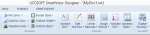
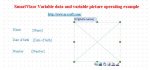
1st step-design template or input the template in PDF / JPG format or others.
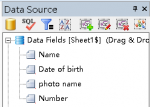
2nd step-input data source
3rd step-drag and drop variable data and variable pictures
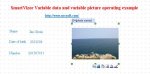
4th step-print preview
 

Attachments

  • photo4846.jpg
    photo4846.jpg
    18.4 KB · Views: 330
  • photo4847.png
    photo4847.png
    21 KB · Views: 360
  • photo4848.jpg
    photo4848.jpg
    23.4 KB · Views: 351
  • photo4849.png
    photo4849.png
    7.2 KB · Views: 348
  • photo4850.jpg
    photo4850.jpg
    24.2 KB · Views: 350
Last edited:
For the variable barcode and variable two-dimensional code, it is very simple,placed a barcode (or two-dimensional barcode) in the template , binding data, and then barcode will be automatically changed according to the binding data changes when print out the barcode.
 
   
Back
Top