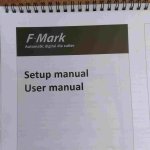
Graphtec F-Mark issue

BigSi

Well-known member
This is doing my head in.

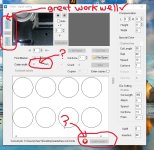
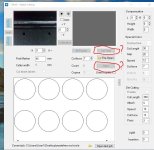
I can't get these to not be grayed out. See attached.
I have looked at all the obvious things, having said that please state them anyway.
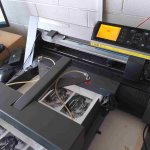
I suspect someone has changed a setting on the cutter itself. The feeder seems alight. The arms move ok when I power it on.

All help much appreciated.

thanks Simon
 

Attachments

  • Screenshot 2026-03-06 142007.jpg
    Screenshot 2026-03-06 142007.jpg
    90.4 KB · Views: 80
  • 1000007670 (1).jpg
    1000007670 (1).jpg
    514.8 KB · Views: 78
  • 1000007671.jpg
    1000007671.jpg
    140 KB · Views: 121
CHECK IF THE PLOTTER IS READY ..!

View attachment 294752
Thanks Thomas, this worked well. Having a few other issues now.

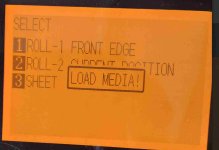
Can't get it to come off "LOAD MEDIA". Have tried everything, cleaning sensor, restarting everything (in different orders). Moving pinch wheels, turning sensor on and off. etc... I can't but help think it is something related to the Auto feeder. (Some setting on the cutter that has to be changed because the "Fmark" feeder is attached? ).

Not sure if it's related to above but I can't seem to adjusted the cutter width. See attached screenshot

The mother board recently packed up on this cutter and a whole lot of setting may have been affected when they repaired it.

thanks heaps. Simon
 

Attachments

  • graphtec error2026-03-07 141359.jpg
    graphtec error2026-03-07 141359.jpg
    113 KB · Views: 59
  • Graphic error2 2026-03-07 143342.jpg
    Graphic error2 2026-03-07 143342.jpg
    51.1 KB · Views: 64
After much pulling out of hair (you can see from my photo) finally got this all sorted. Special thanks Thomas. ta Simon
 
   
Back
Top