I need some help with Preps 5.3 please

MellowLP

Member
Hello
First time poster here, hoping to get some help

I have preps 5.3. I havent used it before but years ago i used preps 3.7. None of the old 3.7 jobs work with 5.3. So im going to have to re do all of them. The problem is, when using my 32 pages template (99% of our work is with this 1 template) it prints the entire 32 pages at ones. I use an 11x17 sheet, 4 pages on each side, 4 sheets per finished signiture or template. The books i print usually are about 250-300 pages long and i do short order runs.

I make a .ps file and import it right into preps 5.3. I really need only 1 two sided sheet of 11x17 paper to print at once.

Any ideas? Thanks
 
Is this to the left of the double side, collate, etc boxes you can check? Where you have to add a file ID? Its doesnt change anything when I do that. Thanks
 
You enter your print range here.

Screenshot2010-03-14at90939AM.png
 
Thanks alot for the help Joe. This is my problem (and its kinda hard to explain since I dont know much about preps 5.3 plus).

I used to run preps 3.7.7 plus alot. What we do here is reprint old book by scanning the actually pages as a tif. Then we put the .tifs in order in pagemaker 7 ( and I know its outdated). I would then write a .ps file from PM7, distil it, then open preps 3.7.7 and put the .pdf in there. I would then use our 32 page template, auto the pages to go in order. I would then write a .ps from preps, distil it with acrobat 3. Then take that pdf back as a new job into preps and use thier default Tabloid 1 up template.

Now I would select page 1 (which was an 11x17 sheet of page, 2 sided) and print to our Cannon IR6800 copier. We now own a Ricoh 6001 and now nothing works. None of the old or new templates. Im about to loose my mind. When I try and use the print page and click double sided, collate, reverse order etc, it doesnt change a thing. Nor does selecting press sheet, signiture etc.

Any helps folks? thanks!
 
Can you post a screen shot of your template. Using the above "Specify Print Range" does work. I've used it often. Does your template actually contain 32 pages (16 pages on front and 16 pages on back) or is it an 8 page template (4 pages on front and 4 pages on back) that you add to your Preps job 4 times?
 
Im not at work ATM. Been working on this for so many hours this weekend my brain is fried heh.

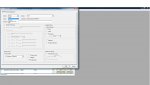
I dont think i saw the 'specify print range" theres just an options to put in the print ranges. I say print page 1 and its does all 4 (the 32 page signiture from the template). I just cant get it to print the 1 double sided sheet.

Ill take a screen shot of it and post Monday.

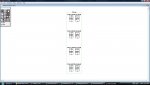
The template is a 32 page template. 4 single double sided 11x17 sheets numbered. I only run a small copier not a press or web. But i print about 20 milllion copies a year on it.

Thanks!
 
I know this doesn't address the core issue of why you posted, but I'm a little confused about your workflow here - wouldn't it be much simpler/easier/faster to simply build your template correctly the first time and go from there? Seems like an extra step (re-importing your already imposed layout to use in the Tabloid template) can be eliminated.

Your flow should look like this instead:

1. Print .ps from PageWrecker; distill into PDF.
2. Import PDF into Preps using PDF-to-PDF job (not Mixed/Postscript)
3. Add Signature using correct template.
4. Print to your printer (optional - you could also print to PDF and then open the PDF in Acrobat and print to your printer.)
 
I have to agree with DCurry on the workflow but...

using the print range as it shows on the previous post I made should print the front and back of sheet number one.
 
When I used preps 3.7.7 it used to be as easy as DCurry posted. But it doesnt work that way in preps 5.3. My signiture list is only 8 sigs long instead of the 32 it used to be.
 

Attachments

  • prepsprint1.jpg
    prepsprint1.jpg
    102.8 KB · Views: 300
  • 32page template.jpg
    32page template.jpg
    98.1 KB · Views: 351
When I used preps 3.7.7 it used to be as easy as DCurry posted. But it doesnt work that way in preps 5.3. My signiture list is only 8 sigs long instead of the 32 it used to be.

I'm not sure exactly what you are wanting to be on the printed sheet. Given the template you posted you should end up with 4 sheets front & back with 4 pages on each side. 4 sheets x 2 sided x 4 pages on each side of each sheet = 32 pages (4 x 2 = 8 x 4 = 32) and if you print it the way my screen shot shows it should just print the front and back of sheet P1 & 32 - 4 & 29 and P2 & 31 - 3 & 30. Do you not want 4 pages on each printed sheet?
 
I'm not sure exactly what you are wanting to be on the printed sheet. Given the template you posted you should end up with 4 sheets front & back with 4 pages on each side. 4 sheets x 2 sided x 4 pages on each side of each sheet = 32 pages (4 x 2 = 8 x 4 = 32) and if you print it the way my screen shot shows it should just print the front and back of sheet P1 & 32 - 4 & 29 and P2 & 31 - 3 & 30. Do you not want 4 pages on each printed sheet?

Yes thats exactly what I want. And the way its set up it should do that. But it doesnt. It prints all 4 sheets, front and back, 32 pages, at once.
Thanks
 
And printing it the way it is in the screen shot I provided prints all 4 sheets?

If that's true change it so "Print Sides that includes pages" is not grayed out and enter in 1-2 in the text box to the right of it and it should only print the sheets that contains P1 & P2 (front and back of sheet 1).
 
Looking at your first screenshot, you don't have "Specify Print Range" selected. Once it is selected, the area below it will not longer be grayed out and you can select "Print Signatures" and enter the range. If you want Sig 1, enter 1 in the range and make sure Front and Back is selected under Sides. If you only want one side, change that setting accordingly.

Example: If you wanted the 3rd sig Back to print, you would have Range: 3 and Sides: Back.
 
   
Back
Top