Is there a way to fake a bleed?

CreoleCuisine

Well-known member
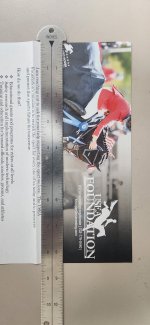
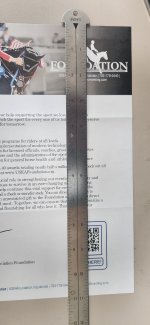
I have some 5x7 cards that I accidentally printed single sided. I can run them back thru to print the other side however, it has a bleed.
Is there a way to fudge it? Enter larger paper size? Expand the paper drawer stoppers?
 
trim them undersize is about the only solution. assuming this is a digital press, trying to defeat the machine's ability to detect the edge(s) of the sheet and/or trying to enlarge an image artificially to make it bleed won't work. telling the machine it is 5.25x7.25, the moment the machine sees a sheet too short, it'll stop for a jam.
 
I have some 5x7 cards that I accidentally printed single sided. I can run them back thru to print the other side however, it has a bleed.
Is there a way to fudge it? Enter larger paper size? Expand the paper drawer stoppers?
What machine are you using?
 
I think he has a ricoh 7500, that is a small card to be running through it, it won't print bleed on all the sides. IF it is printed on uncoated paper and you have an envelope inkjet you could print it with bleed that way.
 
Since it is a Ricoh, you may have a chance, but not without help from your tech. I run 9100s and I do edge to edge (almost) printing often. I can usually hit 3 sides, with a tiny bit of white (1 or 2 points) on the fourth side which I shave on the cutter. You have to ask the tech to set the margins to absolute minimum in the service area. Once that is done, you can set the minimum margin in the paper profile to minimum (0.1 or 0.01 - don't remember). Create a new profile just for the bleed sheet. Set your paper size .1 above your dimensions. 5.1x7.1. and adjust your enlargement with and across to print slightly oversize.

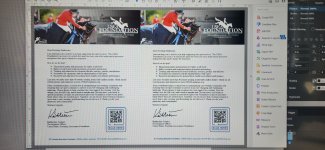
I normally run merged letters with bleed letterheads on nice stock and don't even need to shave if the bleed is in the right spot. Merged certificates with borders also. I just ran a full bleed flyer 2-up on 11x17 because when the art arrived it was a bleed and all we had was 11x17 for this rush job. It printed to the edge of the 17 inch sides and had a hair of white on the ends. We trimmed a tiny gutter out of the middle and shaved the ends. Looked great and nobody notice the slight size difference.

 
Here is another we just did 2-up on 11x17.
 

Attachments

  • 20250916_111922.jpg
    20250916_111922.jpg
    1.2 MB · Views: 315
  • 20250916_112450.jpg
    20250916_112450.jpg
    1,004 KB · Views: 300
  • 20250916_112614.jpg
    20250916_112614.jpg
    3.2 MB · Views: 293
Why? rerunning the paper back through 1 up will likely cost you more in click charges than rerunning it 4 up 2 sided would anyway. Right? unless your printing on gold valued paper.
 
Why? rerunning the paper back through 1 up will likely cost you more in click charges than rerunning it 4 up 2 sided would anyway. Right? unless your printing on gold valued paper.
I agree with this. It will probably cost more in click costs, time (which is more money), and headaches.
 
New Orleans restaurants. Could very well be a pricy sheet. Or, they are trying to salvage it to save their ass. Possibly both.
 
It's messy, as in trial and error, but you should be able to go into the paper alignment and adjust settings there to have the image enlarge and run to at least some of the edges. I've not tried it but I've had my machine (V280) do it by accident when setting up.
 
Last edited:
I have a 7210 and like others say, it it ugly, but yes you can fake it by lying about stock size and only bleed 2 edges. I have not tried it on that small. I'll do it to a 11.25x17.5 to get 4 bleeds up with as much gutter as I can but i'm still trimming all 4 sides on the finished piece. I also do a label stock but to get extra up out of that stock add .125 to each dimension is enough. But I can't get past you putting twice the outside click charges paid out the door 4 up compared to 1 up and you print both sides correctly!
 
   
Back
Top