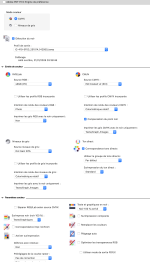
First off, is your original Illustrator document in CMYK or RGB mode? If RGB, that's your problem. If CMYK, you can verify if the yellow is truly 0/0/100/0 by opening the PDF in Acrobat Pro, then going to "All Tools" the click "View More" to expand the menu until you can see "Use Print Production". Then click on "Output Preview". A window with CMYK separations will pop up. Hover over the yellow and see if it only shows 100% Yellow. If that is correct, then it's the Fiery controller settings that's changing it. I don't have a Fiery to compare screens and I can't read whatever language your screen shot is in, but if there is a "None" or "Off" option in the color settings, try that.