The case against the EPS file.

DCurry, we could just tell the printer to swap the inks, and we have for certain projects, but this title also required us to have the neons as part of text, etc. so I felt it was best to set it-up this way.

Macmann, Spot Color is checked. This is a bit unique as it's not a CMYK file with spot colors.
 
...The files contains at least one spot color than uses an undefined color space....

The spot channels "Yellow" and "Black" are probably the problem. Names that match CMYK inks are usually treated as process. For example, if you create a spot color in a PDF with Pitstop and name it "Yellow," you won't see an extra spot ink named "Yellow" - it will be process yellow.

If those two inks are meant to be process inks, make a CMYK + 2 spot image with the cyan and magenta blank and the yellow and black containing what is presently on the spot channels named "Yellow" and "Black."
 
I agree with Kyle. To prove it call the spot Yellow "Yelo" and Black "blk".

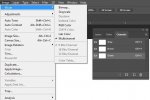
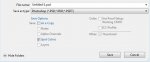
You could try a multichannel .psd.

Keep in mind you can leave the file in CMYK mode, just add the spot colors after the K.
 

Attachments

  • multichannel.JPG
    multichannel.JPG
    52.5 KB · Views: 372
  • psd.JPG
    psd.JPG
    23.1 KB · Views: 389
  • cmyk spot.JPG
    cmyk spot.JPG
    26.1 KB · Views: 405
Last edited:
   
Back
Top