Versant 80 Toner Lines

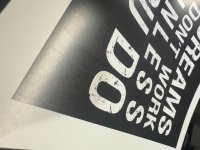
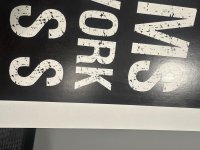
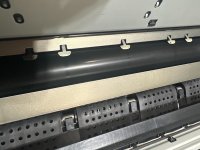
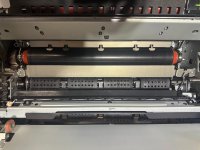
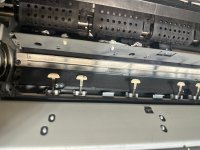
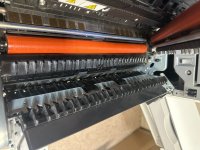
I have started getting lines that I think are caused by the fuser. I print all black posters most of the time and this is a new issue. I also have started seeing some ghosting. Below are the images. I am printing on 12x18 110lb gloss cover blazer.
 

Attachments

  • IMG_4529.jpeg
    IMG_4529.jpeg
    1.1 MB · Views: 198
  • IMG_4543.jpeg
    IMG_4543.jpeg
    1.5 MB · Views: 159
  • IMG_4542.jpeg
    IMG_4542.jpeg
    1.3 MB · Views: 156
  • IMG_4532.jpeg
    IMG_4532.jpeg
    1.6 MB · Views: 158
  • IMG_4533.jpeg
    IMG_4533.jpeg
    790.5 KB · Views: 284
  • IMG_4534.jpeg
    IMG_4534.jpeg
    911.3 KB · Views: 281
  • IMG_4535.JPG
    IMG_4535.JPG
    1.7 MB · Views: 154
  • IMG_4536.jpeg
    IMG_4536.jpeg
    1.7 MB · Views: 152
  • IMG_4537.JPG
    IMG_4537.JPG
    1.6 MB · Views: 149
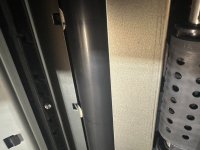
I can't say for certain, but I don't think those marks are coming from your fuser. It looks like it's dragging against something in the paper path post-fuser.
 
I stopped the print midway through the fuser. Toner looks fine to me
 

Attachments

  • IMG_4551.jpeg
    IMG_4551.jpeg
    1.5 MB · Views: 143
  • IMG_4552.jpeg
    IMG_4552.jpeg
    1.4 MB · Views: 133
  • IMG_4550.jpeg
    IMG_4550.jpeg
    1.6 MB · Views: 131
For a Versant 80 that is a very clean looking machine nice job!

I would try printing separate sheets of solid c, m, y, and k and see if you see any issues with those. The thin lines in the very first photo ending with 29 are from the plastic guide fingers. I get those sometimes on my 280 and another user on this site has had the same issues with his Versant 280.

If you haven’t already tried, you could put the machine in skip pitch mode or what they call Ink Setoff Prevention Mode. It will slow the engine down to about half speed. There’s also an nvm setting for this but I can’t recall what it is.

From Xerox…

When the option is On, the press skips pitches allowing the paper to cool down more
between sheets stacking up. The default setting is Off.
1. Log in as the administrator.
2. Press the Machine Status button on the UI.
3. Select the Tools tab.
4. Select System Settings > Common Service Settings.
5. Select Other Settings.
6. Select Ink Setoff Prevention.
7. Select Change Settings.
8. Choose of the following options:
Off (this is the default setting)
Always On
On for Required Paper Only
9.
Select Save.
10. Select Close.
The main Tools screen displays.
11. Exit the administrator mode.
 
I forgot to mention the printer is in the skip pitch mode already. I was able to fix the ghosting when I had that turned on a few months ago. The NVM code is 740-492 fyi.

I printed other colors, and i get the same output. Black is the most noticeable though.

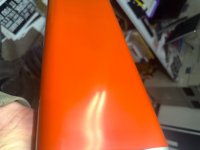
TJ - Could the deculer rolers cause this after the print exits the fuser?
 
Last edited:
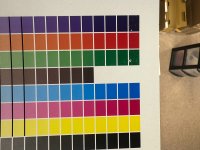
Working through more diagnostics, I printed a procon test, and it does look like there is too much toner being laid down. Suggestions on how to fix?
 

Attachments

  • IMG_4556.jpeg
    IMG_4556.jpeg
    1.2 MB · Views: 129
what gsm are you using
even if there is too much toner which is a rarity running a higher gsm should resolve it
there is a higher chance of the fuser being bad
 
   
Back
Top