


Nix Print Pro adds FLEXO Edition XI support across all platforms
If there's one thing that can make a packaging printer's day go sideways faster than almost anything else, it's a color problem. The customer wants their brand colors exactly right, the substrate doesn't cooperate, the press operator thinks it looks fine, and by the time the job ships everyone is pointing fingers. Color disputes are expensive, time-consuming, and bad for relationships.
Which is why news from Nix Sensor Ltd. is worth paying attention to. The Hamilton, Ontario company has just added official support for the GCMI/GPI FLEXO Edition XI digital color library in Nix Print Pro, giving flexographic and packaging printers a practical, portable way to verify and communicate color against one of the industry's most widely used standards.
Why FLEXO Edition XI Matters
GCMI/GPI FLEXO Edition XI is a standardized color library widely used across packaging and flexographic printing. When a brand specifies a color from this library, everyone in the supply chain (brand owner, converter, printer) is supposed to be working from the same reference. In practice, that's easier said than done without the right tools at hand.
With Nix Print Pro, print professionals can now call up FLEXO Edition XI colors directly on a phone, tablet, or laptop and compare them against measured samples using a portable spectrophotometer. The workflow is simpler than it sounds: measure a color, call up the library standard, see the difference. If it's within tolerance, you're good. If not, you know before the job ships.
"This update helps simplify color communication, quality control, and production workflows across packaging, flexographic printing, and related print environments," says Danielle Ritch, Global Sales Manager for Print and Graphic Arts at Nix Sensor. That's vendor-speak for what print shop owners already know: catching a color problem before it ships is a lot cheaper than dealing with it after.
The Hardware Side
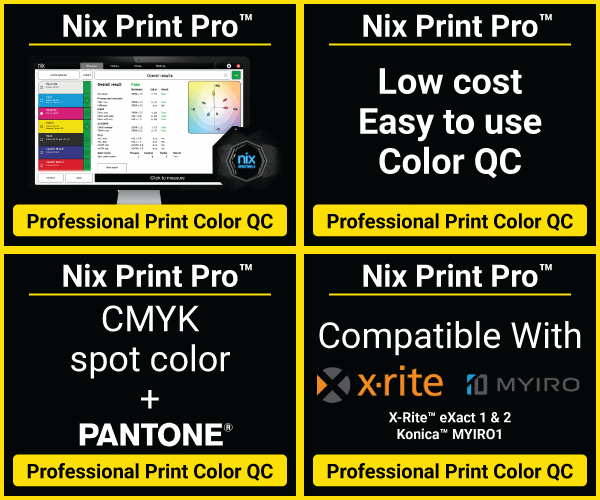
Nix Print Pro works with a range of spectrophotometers, which matters because not every shop runs the same gear. Supported devices include the Nix Spectro L and Nix Spectro 2, X-Rite eXact 1 and 2, X-Rite i1Pro3 and i1Pro3 Plus, and Konica Minolta MYIRO-1. If you're already running one of these, you may not need to buy new hardware to take advantage of the new library support.
The FLEXO Edition XI license runs $100 USD per year, available within Nix Print Pro on iOS, Android, PC, and Mac. If your team is spread across a plant floor, a pressroom, and a remote QC station, that cross-platform access is worth more than it might seem. Everyone works from the same standard, on whatever device they have.
Beyond the New Library
The FLEXO Edition XI addition is the headline, but Nix Print Pro does more than color library matching. The app supports custom color standards, color bar creation, color difference calculations, density measurement, quality control reporting, and measurement history. That's a fairly complete toolkit for day-to-day print color QC.
If you're currently managing color with visual assessments, printed swatch books, or spot checks that only happen when something already looks wrong, this is the kind of tool that makes the process more systematic without adding much complexity. The free Basic version is worth downloading just to see whether the workflow fits how you operate.
Worth a Look
Not every print shop does flexo packaging, so this update won't matter equally to everyone. But if you're in that space, or moving toward it, having a standardized, portable, digital reference for GCMI/GPI colors is a legitimate operational upgrade. Color problems in packaging are expensive. Tools that help prevent them tend to pay for themselves quickly.
Nix Print Pro Basic is free at nixsensor.com/nix-print-pro-download. More on Nix spectrophotometers and the full Print Pro feature set at nixsensor.com/nix-for-print-color-qc.
If there's one thing that can make a packaging printer's day go sideways faster than almost anything else, it's a color problem. The customer wants their brand colors exactly right, the substrate doesn't cooperate, the press operator thinks it looks fine, and by the time the job ships everyone is pointing fingers. Color disputes are expensive, time-consuming, and bad for relationships.
Which is why news from Nix Sensor Ltd. is worth paying attention to. The Hamilton, Ontario company has just added official support for the GCMI/GPI FLEXO Edition XI digital color library in Nix Print Pro, giving flexographic and packaging printers a practical, portable way to verify and communicate color against one of the industry's most widely used standards.
Why FLEXO Edition XI Matters
GCMI/GPI FLEXO Edition XI is a standardized color library widely used across packaging and flexographic printing. When a brand specifies a color from this library, everyone in the supply chain (brand owner, converter, printer) is supposed to be working from the same reference. In practice, that's easier said than done without the right tools at hand.
With Nix Print Pro, print professionals can now call up FLEXO Edition XI colors directly on a phone, tablet, or laptop and compare them against measured samples using a portable spectrophotometer. The workflow is simpler than it sounds: measure a color, call up the library standard, see the difference. If it's within tolerance, you're good. If not, you know before the job ships.
"This update helps simplify color communication, quality control, and production workflows across packaging, flexographic printing, and related print environments," says Danielle Ritch, Global Sales Manager for Print and Graphic Arts at Nix Sensor. That's vendor-speak for what print shop owners already know: catching a color problem before it ships is a lot cheaper than dealing with it after.
The Hardware Side
Nix Print Pro works with a range of spectrophotometers, which matters because not every shop runs the same gear. Supported devices include the Nix Spectro L and Nix Spectro 2, X-Rite eXact 1 and 2, X-Rite i1Pro3 and i1Pro3 Plus, and Konica Minolta MYIRO-1. If you're already running one of these, you may not need to buy new hardware to take advantage of the new library support.
The FLEXO Edition XI license runs $100 USD per year, available within Nix Print Pro on iOS, Android, PC, and Mac. If your team is spread across a plant floor, a pressroom, and a remote QC station, that cross-platform access is worth more than it might seem. Everyone works from the same standard, on whatever device they have.
Beyond the New Library
The FLEXO Edition XI addition is the headline, but Nix Print Pro does more than color library matching. The app supports custom color standards, color bar creation, color difference calculations, density measurement, quality control reporting, and measurement history. That's a fairly complete toolkit for day-to-day print color QC.
If you're currently managing color with visual assessments, printed swatch books, or spot checks that only happen when something already looks wrong, this is the kind of tool that makes the process more systematic without adding much complexity. The free Basic version is worth downloading just to see whether the workflow fits how you operate.
Worth a Look
Not every print shop does flexo packaging, so this update won't matter equally to everyone. But if you're in that space, or moving toward it, having a standardized, portable, digital reference for GCMI/GPI colors is a legitimate operational upgrade. Color problems in packaging are expensive. Tools that help prevent them tend to pay for themselves quickly.
Nix Print Pro Basic is free at nixsensor.com/nix-print-pro-download. More on Nix spectrophotometers and the full Print Pro feature set at nixsensor.com/nix-for-print-color-qc.