How to preview a single page in Cockpit?

Kdec

New member
Hi,
After re-installiing cockpit on an iMac I lost the ability to preview just one page. For instance, in the picture attached I used to be able to double click, say... page 13 and a PDF would open to page 13, now it opens the PDF at page 1.

Anyone know how to change the settings?
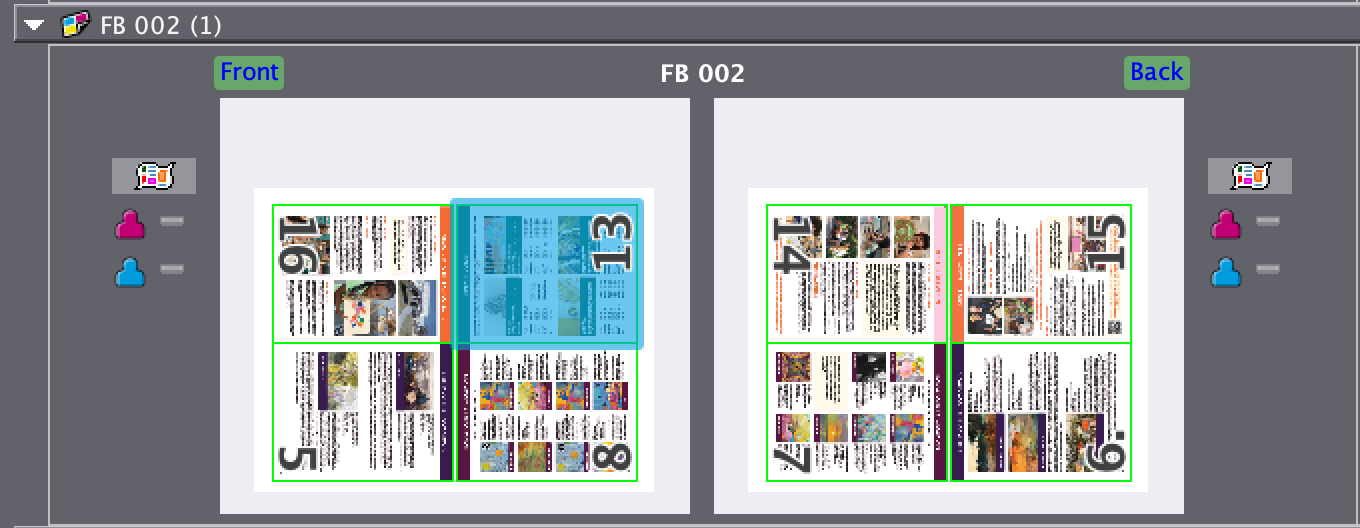

Screenshot 2024-09-19 at 9.15.31 AM.png
 
Hi Kdec,

Not sure if this will help but there are about 14 sw updates since your version. Current version is 2021.10.46.
 
Thanks for the reply!
We did just recently update to "21.10.46.14" but it's doing the same thing. My supervisor thinks it's a setting but not sure where it is.
 
Call the Techical Assistant Center at Heidelberg, they will be able to help you. It is included if you have a subscription or a service contract.
 
If this is still evident:
prinect Cockpit has to know wich app is responsible for opening PDFs.
In your Cockpit switch to Administration/Preferences and fill in the path of the Acrobat App.
 
Yes, Ashok is right . The option to view a single page is available in the signa.
 

Attachments

  • Sample.jpg
    Sample.jpg
    171.7 KB · Views: 199
   
Back
Top