



NickyG81
Member
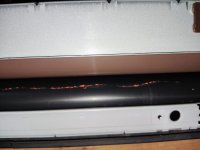
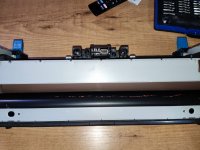
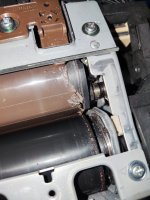
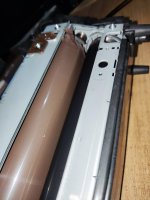
I start by specifying that I have the Fuser that has the pressure roller cut and the fuse film scratched (as shown in the photo).
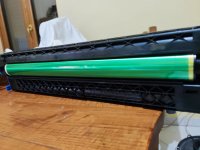
1. The drums do not appear to be scratched
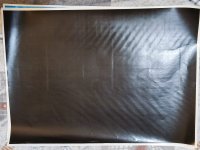
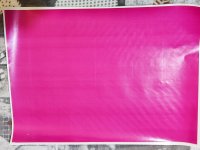
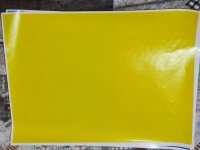
2. Looking at the CMYK prints, apart from the lines on the fuser film sleeve, those horizontal streaks and the non-compact and homogeneous toner could be caused by the fuser and the damaged pressure roller?
3. When I print I always get stains (like on the white sheet), even when I print a white sheet. These stains remain on the BELT as toner. I have cleaned the belt several times with alcohol, I have also cleaned the belt toner cleaning spatula and the belt accumulation tank. But I can't solve the problem. What could this be due to? What should I clean?
3a. Always on the belt I see that a light toner dust forms in colored bands of 10 cm (CMYK) is this normal? Or does the spatula have to clean the toner 100%? Then why does it make these color bands? even though it doesn't print any bands...(bands parallel to the Drums...
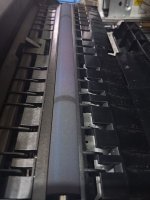
4. the 2nd transfer roller (the one under the beld) has those toner stains, is this normal? How could it be cleaned?
1. The drums do not appear to be scratched
2. Looking at the CMYK prints, apart from the lines on the fuser film sleeve, those horizontal streaks and the non-compact and homogeneous toner could be caused by the fuser and the damaged pressure roller?
3. When I print I always get stains (like on the white sheet), even when I print a white sheet. These stains remain on the BELT as toner. I have cleaned the belt several times with alcohol, I have also cleaned the belt toner cleaning spatula and the belt accumulation tank. But I can't solve the problem. What could this be due to? What should I clean?
3a. Always on the belt I see that a light toner dust forms in colored bands of 10 cm (CMYK) is this normal? Or does the spatula have to clean the toner 100%? Then why does it make these color bands? even though it doesn't print any bands...(bands parallel to the Drums...
4. the 2nd transfer roller (the one under the beld) has those toner stains, is this normal? How could it be cleaned?
Attachments
-
 Belt2.jpeg141.3 KB · Views: 237
 -
 belt1.jpeg356.4 KB · Views: 264
 -
 2nd transfer roller.jpeg169.3 KB · Views: 245
 -
 belt.jpg93.8 KB · Views: 267
 -
 cmyk (2).jpg227.7 KB · Views: 268
 -
 cmyk (3).jpg180.5 KB · Views: 244
 -
 cmyk (4).jpg131.2 KB · Views: 252
 -
 cmyk (1).jpg158.7 KB · Views: 248
 -
 fuse (2).jpg267.7 KB · Views: 231
 -
 fuse (3).jpg300.2 KB · Views: 235
 -
 fuse (4).jpg289.1 KB · Views: 229
 -
 fuse (1).jpg176.4 KB · Views: 218
 -
 drum.jpg176.1 KB · Views: 240








