ivanalbright
New member
Hi all, I'm new to prepress and commercial printing and am working on a fairly simple design and layout for a magazine.
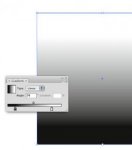
My layout design has a curved area of solid color at the header and footer of the page and a gradient that fades up to white in the content area of the page. Right now, the top and bottom areas of solid color are filled paths made in Illustrator and the gradient is a 300dpi raster gradient made in Photoshop. I plan to save the whole thing as an .eps in Illustrator, then use Quark to place text and photos over the background .eps.
Is there anything I should be aware of as far as excessive costs associated with a near-full page gradient (on every page), banding issues, or other things that I don't even suspect?
Thank you!
My layout design has a curved area of solid color at the header and footer of the page and a gradient that fades up to white in the content area of the page. Right now, the top and bottom areas of solid color are filled paths made in Illustrator and the gradient is a 300dpi raster gradient made in Photoshop. I plan to save the whole thing as an .eps in Illustrator, then use Quark to place text and photos over the background .eps.
Is there anything I should be aware of as far as excessive costs associated with a near-full page gradient (on every page), banding issues, or other things that I don't even suspect?
Thank you!