


wonderings
Well-known member
We have been fighting with an issue for a long time and have yet to find an answer. We have 2 Epsons being run through Caldera. Latest updates. I don't run it so not knowledgable on Caldera at all but thought I would reach out to see if anyone has had this issue. We have done various tests to try and isolate the problem, Epson blames Caldera, Caldera blames Epson. Epsons are SurColor R5070's. We have 2 of them.
I will try my best to explain what will happen. It seems to happen mostly on longer print runs. Say for example I have a long rectangle black bar (this happens randomly with any image) that was 26" x 112" running on a 54" wide roll. It would look something like this when printed properly:
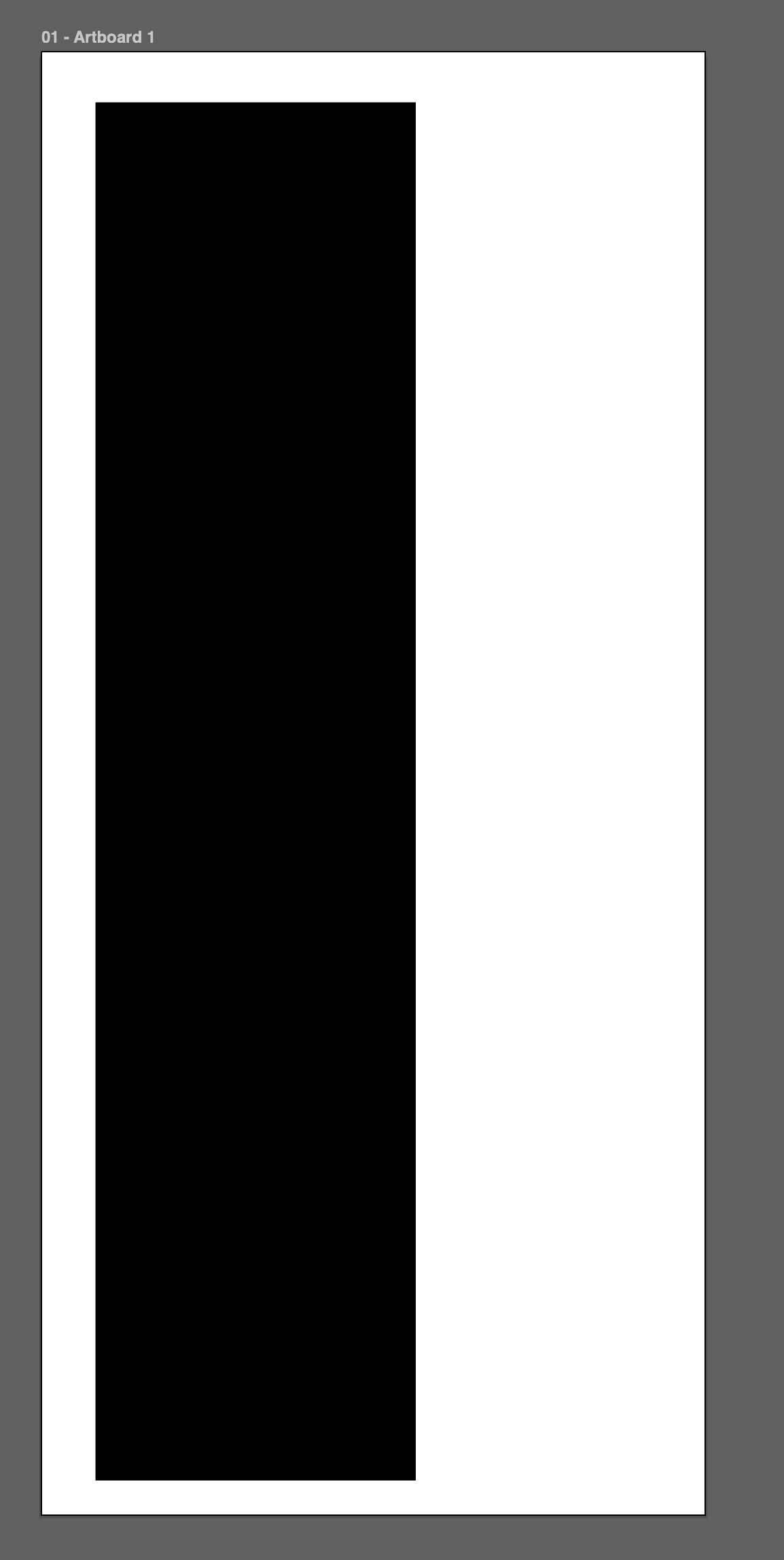
(white is the paper, black is the print)
What will randomly happen is it will literally cut the image and shift across the page like the image below.
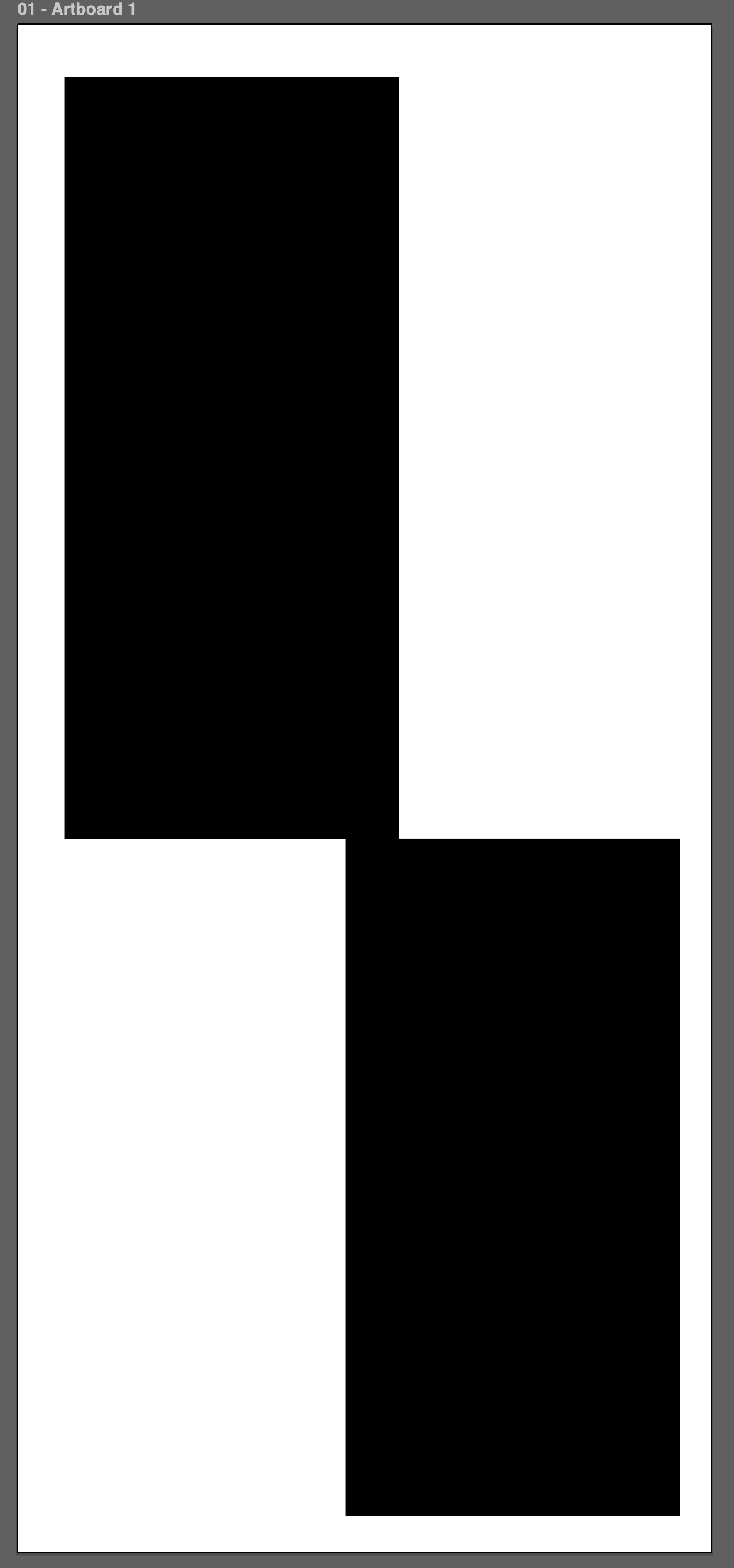
We have tried new computers and clean installs, etc. Has anyone seen this issue or had it happen to them? Have you ever resolved it and found out what the issue is?
I will try my best to explain what will happen. It seems to happen mostly on longer print runs. Say for example I have a long rectangle black bar (this happens randomly with any image) that was 26" x 112" running on a 54" wide roll. It would look something like this when printed properly:
(white is the paper, black is the print)
What will randomly happen is it will literally cut the image and shift across the page like the image below.
We have tried new computers and clean installs, etc. Has anyone seen this issue or had it happen to them? Have you ever resolved it and found out what the issue is?











