Enfocus Navigator Window popping up

jonasukulore

Active member
Is there a way to prevent the Enfocus Navigator Window popping up after a Quickrun? In prefs I can only chose to either show the Navigator, or the Preflight Rapport.
I want neither, just the green checkmark, that can opt to click, not a window I'm forced to close every time.
 
If you open the Quickrun there is an option 'Show Results'.
There are some options there that might help.
 
Thanks for your quick reply. The Quickrunn just checks whether the PDF is GWG_SheetCMYK_2015 CMYK compliant.
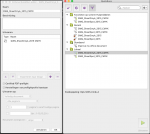
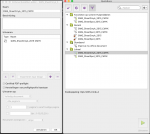
If I select 'Certified PDF Preflight' the box 'Show Results' is greyed out. (please see screenshot)


Schermafbeelding 2019-03-29 om 13.17.55.png
 

Attachments

  • image_8487.png
    image_8487.png
    108.2 KB · Views: 466
With Certified PDF on I am afraid you can't turn it off.
To be honest I am not sure you want to as any warnings or errors from the preflight will be hidden.

You also have the option of course of not running the Preflight Profile as a Quickrun.
 
   
Back
Top