Help Please ! Getting small dots when UV coating ( is it dust ? )

brian@cec

Member
UV coating has been going well for the past year. Nothing has changed as far as I know, with our printing, paper, or UV process. Lately every job we try to UV coat gets what seems to be dust showing up when coated. The reason I believe it is dust is, if I wipe the sheet with a cloth first, it come out fine. Only when I don't wipe, do the small dots show up on the finished product. I maybe wrong about it being dust, but I can't figure out why wiping with a cloth solves the issue. Any Ideas ?

 
Hi Brian, Your speculation might be correct, however there are other possible causes. It is possible that there is contamination in the ink that is rising to the surface after printing. This could cause an incompatibility with the coating leaving the spots. I suggest you take a look at the surface using a modestly powered microscope. Look closely at the uncoated and coated sheets (On the print that shows spots after coating). If it's dust, the spots will look identical since it's the same dust particles. If you can't see the particles on the uncoated sheet, the cause may be a contaminant. The spot, under magnification might give you information about the cause: Is it a continuity defect in the coating (crater)? Is it a bubble? etc. I believe a closer examination will get you started in the right direction.

As to dust, check the printer and any air movement within the unit. Insure the air is clean, there are no collections of dust within the line from feeder to delivery.

I hope this is helpful, and best of luck
 
Toner recovery box full or not performing correctly?
Have your service tech check your machine.
 
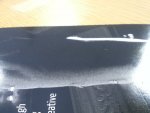
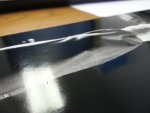
pdan, we looked into that. Vacuumed and blew out entire press. That didn't work. Here are some pictures of what's happening. Thanks for helping.
 

Attachments

  • dust #1.jpg
    dust #1.jpg
    2.5 MB · Views: 543
  • dust #2.jpg
    dust #2.jpg
    2.1 MB · Views: 557
What type of digital machine are you using? Have you only been having this issue with a single substrate? The reason I ask this is it may be possible that it's paper dust that's inside maybe before the fuser or even afterwards at some of the points where the paper makes a sharp turn and gets put back on top of the toner. When are you wiping each sheet down? Are these being finished by anything other than your coater before or after you wipe each sheet down?

Eliminating variables will eventually let you know where the problem lies.
 
   
Back
Top