

Indesign CS5 missing link.. missing?

wonderings

Well-known member
This is indesign CS5, obviously, in OS X. So in CS4, if a link is missing you see that in the link panel as shown below:
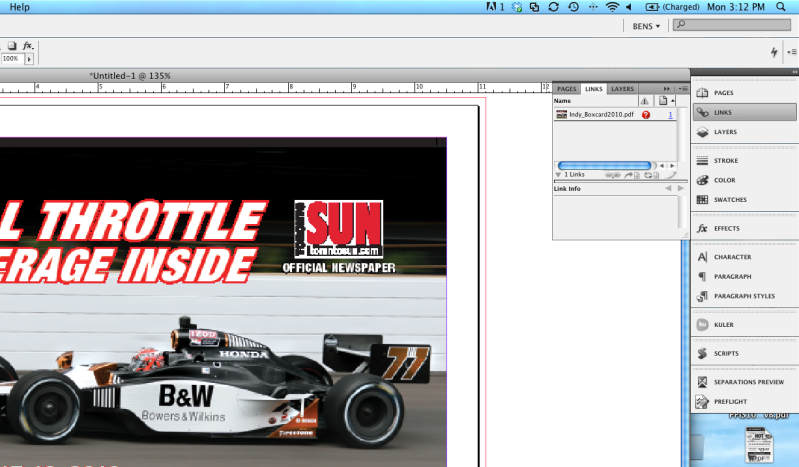
Screenshot2010-07-12at31203PM.png


In CS5 repeating the exact same thing, does not show in the links panel, only in preflight. Is there a setting or some little button I should be clicking for it to show me problem links in the link panel?
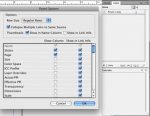
 
With the "Links" panel open click on the menu button and select "Panel Options..."

Make sure that both "Show Column" and "Show in Link Info" is selected.

I've attached a pdf that shows what the "Panel Options..." look like on my machine.

If these two things are check I will see the same info as you do in CS4.
 

Attachments

  • Panel Options.jpg
    Panel Options.jpg
    17.9 KB · Views: 321
With the "Links" panel open click on the menu button and select "Panel Options..."

Make sure that both "Show Column" and "Show in Link Info" is selected.

I've attached a pdf that shows what the "Panel Options..." look like on my machine.

If these two things are check I will see the same info as you do in CS4.

Thanks, thats exactly what I wanted. Not sure why its not set that way be default. I just want it to show any indication that the link is missing or modified and not have to check preflight, then back to links and see what file is the one thats needed to be updated/relinked.

Problem solved, thanks again.
 
Thanks, thats exactly what I wanted. Not sure why its not set that way be default. I just want it to show any indication that the link is missing or modified and not have to check preflight, then back to links and see what file is the one thats needed to be updated/relinked.

Problem solved, thanks again.

Glad I could help.
 
   
Back
Top









