

You are using an out of date browser. It may not display this or other websites correctly.
You should upgrade or use an alternative browser.
You should upgrade or use an alternative browser.
duplo dc 616
- Thread starter rambo
- Start date
namelessentity
Well-known member
Yes, it can do 6 slits and 25 cuts in a pass. Just keep in mind you're gonna fight printer shrink/stretch on those layouts, and the tail end of your sheet will need some fine tuning for accurate cuts. I still prefer to run BCs on 9x12 or 8.5x11 to keep the cutting more precise.

jwheeler
Well-known member
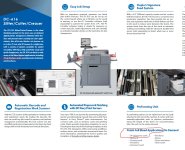
Yes... the Duplo brochure confirms 24up with bleed. See attached.
Attachments
Pennypicher
Well-known member
You might have to lie about the length of the sheet. 18" maybe 18 1/8th to allow for that last card to cut or it will error out. However if you go too long it will look for that extra and error out. I think 12x18 your better with 21 cards and 13x19 for the 24 cards. Easier to print a extra sheet or 2 than fight all the time.

ReproElectroProspero
Well-known member
Can confirm that on both our Versant 180 and our Ricoh C7200X, printer stretch/shrink and registration pose a huge liability when running 24up full bleed on 12" x 18". We never really got the hang of adjusting for this though, any tips?Yes, it can do 6 slits and 25 cuts in a pass. Just keep in mind you're gonna fight printer shrink/stretch on those layouts, and the tail end of your sheet will need some fine tuning for accurate cuts. I still prefer to run BCs on 9x12 or 8.5x11 to keep the cutting more precise.
PricelineNegotiator
Well-known member
Within the 618's software that's on the laptop, you can fully adjust for shrink percentage or total size once printed. It's ridiculously easy and accurate, and will keep the settings in there for you. I think if you have drastic humidity fluctuations you'll need to adjust it every few months,.Can confirm that on both our Versant 180 and our Ricoh C7200X, printer stretch/shrink and registration pose a huge liability when running 24up full bleed on 12" x 18". We never really got the hang of adjusting for this though, any tips?
You can also do it on the 616.Within the 618's software that's on the laptop, you can fully adjust for shrink percentage or total size once printed. It's ridiculously easy and accurate, and will keep the settings in there for you. I think if you have drastic humidity fluctuations you'll need to adjust it every few months,.
Last edited by a moderator:
Pennypicher
Well-known member
It wont adjust the side to side but length is called shrinkage. You enter the length of the sheet and then add/subtract to match the image on the cards. It moves the cuts a tiny bit to compensate for the image shift.
ReproElectroProspero
Well-known member
Hmm maybe I need to revisit this. We were doing that but the adjustment only seemed to work per job, and needed constant refinement. Likely the fault of our Ricohs...they've been wiped and had software/updates reinstalled like 5 times because of intermittent issues :-(Within the 618's software that's on the laptop, you can fully adjust for shrink percentage or total size once printed. It's ridiculously easy and accurate, and will keep the settings in there for you. I think if you have drastic humidity fluctuations you'll need to adjust it every few months,.
There's an option on the duplo 618 screen called "adjust shrinkage" if you're sheet is too long it allows for the variation of the cards shifting every time the blade hits the sheet. Once you get the hang of it, it's usually fairly consistent. We have all our templates permanently set to adjust shrinkage on 12x18 sheets to these values:Can confirm that on both our Versant 180 and our Ricoh C7200X, printer stretch/shrink and registration pose a huge liability when running 24up full bleed on 12" x 18". We never really got the hang of adjusting for this though, any tips?
Original Document Length: 457.2
Actual Document Length: 458.0
Testing method: One fun way to test this and dial it in is to make a business card that is solid cyan on one side and solid magenta on the other side with absolutely NO bleed (image is exactly 2in x 3.5in) Then when you run the test sheets thru the cutters see how close you can get the front/backs to have no white slivers on any edges. You'll never get perfectly there but you'd be suprised how close you can get. Your settings are going to be different per paper type/brand. IE settings will be different for 350gsm vs. 300gsm.
Another thing to check and it's easier to spot using the testing method above. We found that part of our problem ended up being that the prints were skewing in the entrance tray and there is an adjustment on the physical machine for that. Fixing that infeed skew helped a lot when combined with the shrinkage problem.
YourCastle
Well-known member
i have the same machine and never had success getting 24 out. I tried all kinds of things and gave up.i have the Duplo 616 and want to know layout for business cards WITH BLEEDS.
How many up on a sheet can i get? i was told 12 x 18 sheet can get 24 out? but does this mean with bleeds?
I just do 21up
Honestly, there's really no downside to doing 21 up from my perspective.i have the same machine and never had success getting 24 out. I tried all kinds of things and gave up.
I just do 21up
We sell most of our business cards in a box of 250.
If you're printing a proof first then you're going to end up printing 12 sheets with either method (24 or 21 up). Even a box of 1000 cards is only going to be 5-6 sheets more and the time wasted being fiddly with them doesn't outweigh the few extra sheets. If you're doing 10k business cards then it might be worth it to be fiddly.
Similar threads
- Replies
- 12
- Views
- 3K
- Replies
- 20
- Views
- 4K

- Replies
- 4
- Views
- 1K

- Replies
- 3
- Views
- 2K
- Replies
- 5
- Views
- 2K






