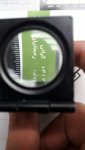
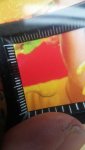
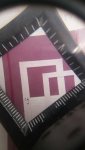
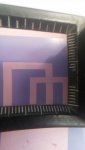
What about if fountain solution is not able to clean all surface of the plate and leave some part of the plate un cleaned. these dots are not something added to job these are dpis of the plate which has not been cleaned by the water rollers i think look at my pictures more carefuly one more time plz
One more point if i change my dpi format from Am to Fm these dots almost disappear but its hard to ask all my customers to do so because l dont have the platsetter of my own and fm format is not suitable for all jobs and challenging to print
I'm not sure what you mean by fm and am. I know that we tried doing staccato screening on my press once and it caused similiar issues so we went back to original format. Some dot patterns are not compatible with anilox rollers because of the concept and screen angle on the roller itself. A part of me also wants to say that you should check your transfer jackets for ink buildup. These should be regularly cleaned as I'm sure you are aware of. Also have you tried adding alcohol to your system? You may already be using that though. What kind of press do you have? Could you take a picture of it?
I have a sm 52-4 anicolor/2008
its not related to transfer jackets
The plates are ok but there is sth wrong whit my press that i don't know what it is. these pictures may clear up the mystery...as you can see the plate dpis are ok but when i print my press is not able to apper all the dpis by thier correct shape
The quality of pictures decrease here. What my pictures show is that the plates dpi are ok but when l put ink and water rollers on the plate the dots appear
Dear colleagues
Help me please. I also own ANICOLOR and have a problem. 100% image(solid field) of a cyan or magenta, there is the imprint remains a trace of anilox roller cells. Did you had similar problems? Please, help. Tried to dilute with printing oil, that the low viscosity does not keep the order of the cells. If I add a 6% of oil, the problem disappears. But there is another problem. The raster dot becomes dirty. Fountain can't do his job. If you look at the photo, there are strip. It's a solid field. They also are if you turn off Fountain. They are on all kinds of plates. Can it be because of the shape of the cells of the anilox roller? What is your cell shape? Thank you (Photo without print oil, and with print oil)
I thought about what you said. The lamella side is correct. The problem does not depend on the freshness of the blade. If the blade was bad settings. There was a color density difference on the sheet. And my density is perfect. Difference 0.01-0.03 D
The profile is also inappropriate. Because these strips are there even if we print without a fount unit. On plates without exposure. I noticed that this problem disappears on the pantone with low viscosity. Guys from Heidelberg say there is a similar problem in Poland. And they don't know what it can be. Please tell me what are the parameters of your incoming water, without additives?
uS -
pH -
dH CaO/l -
dH HCO3/l -
And the parameters of the ready solution?
uS -
pH -
IPA -
Thank you.
Best regards, Anton
Hello Alois,
Yas, i see the Cell Pattern on the printed solid areas. We test 20 series of ink. (Saphira, sun chemical, TOYO, Huber) The Huber was the best. In Huber, i see cells only with 0% anilox ink supply. When the anilox ink supply of 50% or 100% the strip disappears. It's all on a solid field. On all other inks they are constantly. Fount solution: Saphira-210 (2.5%) ; pH - 4.9; uS - 770; IPA - 6-8%
Best regards, Anton
Also we test F.S. Huber, ABS Allied. And no resuit. It remains to check the plates. We are waiting for a specialist. But we tried plates from other typography, the effect is still there.
I find it hard to believe that you can actually see the cells from the anilox roller printing onto press sheet. There are 2 rider rollers and an ink form blanket that smooths the ink before it contacts the plate. I've ran an anicolor for 8 years and have never seen that before. If you could download a picture of the entire press sheet would be very helpful. Could be that your impression blanket is not packed to spec. Could be that your ink chamber blade is not seated properly end to end. It could be a multitude of things of which is just something very simple. Sometimes things like this can be over analyzed and made more difficult than what it is. Just my opinion.